What parents are saying?
1. What age group are these coding classes designed for?
Roblox and Scratch are beginner-friendly coding platforms used in our classes to introduce kids to programming. Scratch uses drag-and-drop coding blocks, perfect for younger students, while Roblox lets kids code and create 3D games. Both platforms help kids build logical thinking, creativity, and problem-solving skills in an enjoyable way.
These coding programs are created for children and teens between the ages of 6 and 17. Lessons are carefully structured based on age, learning speed, and prior exposure to technology. Younger learners focus on visual logic and creativity, while older students work on structured programming and real-world applications.
2. Does my child need prior coding experience to enroll?
No previous coding knowledge is required to get started. Beginners are introduced to programming through simple, visual tools that build confidence step by step. As students progress, they naturally move toward more advanced concepts without feeling overwhelmed.
3. Which coding platforms and languages are covered in the classes?
No previous experience is required! Tutree's coding classes for kids in Florida are beginner-friendly, with instructors starting with fundamental coding concepts, making it easy for kids to follow along and feel confident from the start.
Students learn using popular and beginner-friendly platforms such as Scratch, Roblox Studio, Python, Java, Code.org, web development tools, and app-building environments. The platform selection depends on the student’s age, interest, and skill level to ensure effective learning.
4. Are the coding classes live or pre-recorded?
All sessions are live and instructor-led, allowing students to interact directly with tutors. This live format encourages questions, discussion, and immediate feedback, creating a more engaging and supportive learning experience compared to recorded lessons.
5. How long is each coding session?
Each live class typically lasts around 40 minutes, which is an ideal duration for maintaining focus and engagement. This time frame allows instructors to teach concepts, guide hands-on practice, and help students complete meaningful project tasks.
6. What type of projects will students work on during the course?
Students build games, animations, interactive stories, simulations, and logic-based applications. Projects are designed to be fun yet educational, helping learners apply coding concepts while strengthening creativity, problem-solving, and independent thinking skills.
7. How large are the class groups?
Classes are conducted in small groups to ensure every student receives personal attention. Smaller group sizes help tutors adapt explanations, monitor progress closely, and support each child’s unique learning needs.
8. Can parents track their child’s progress?
Yes, parents receive regular updates on learning milestones, completed projects, and skill development. This transparency helps families understand what their child is learning and how their confidence and abilities are growing over time.
9. Are class schedules flexible for school-going students?
Multiple time slots are available to accommodate school hours and extracurricular activities. This flexibility allows families to choose schedules that fit comfortably into their daily routines without added stress.
10. Will students receive any recognition or certification after completing the program?
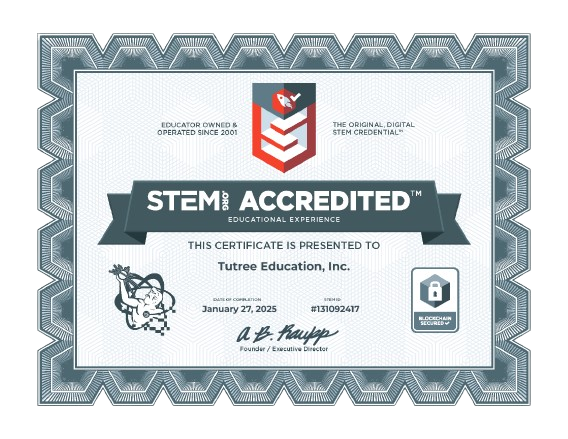
Students receive achievement certificates after completing key stages or projects within the program. These certificates reflect the skills learned and can help motivate students while showcasing their progress in coding and technology.