Frequently Asked Questions About Roblox and Scratch Programming for California Students
1. How do Roblox and Scratch support learning in Tutree's California coding programs?
Roblox and Scratch serve as accessible coding platforms within our curriculum, introducing young learners to programming fundamentals. Scratch employs visual drag-and-drop blocks ideal for elementary students, whereas Roblox enables kids to program and construct 3D gaming experiences. Both environments cultivate logical reasoning, creative expression, and systematic problem-solving through enjoyable, interactive activities.
2. Which age groups qualify for Tutree's California coding programs?
Our programs welcome students ages 7 through 16 throughout California, accommodating both newcomers and those with prior coding exposure. Tutree's adaptive curriculum responds to varying proficiency levels, ensuring every participant progresses and develops at their individual pace.
3. Must my child have coding background to enroll in California classes?
No prior experience necessary! Tutree's California coding programs are designed for complete beginners, with instructors introducing foundational programming concepts systematically, ensuring kids feel capable and confident right from their first session.
4. What kinds of projects will students create in California coding classes?
Students engage with exciting, practical projects including game creation, animated storytelling, and interactive digital content. Within Scratch, they'll craft animations and fundamental games, while Roblox enables them to engineer 3D environments and gameplay mechanics. Every project reinforces creative thinking, logical analysis, and authentic programming abilities.
5. What technology requirements exist for California coding class participation?
A computer with reliable internet connectivity is essential. Scratch operates entirely through web browsers without installation requirements. For Roblox, students download the complimentary Roblox Studio application. Our technical team provides comprehensive setup guidance before the initial class session.
6. What's the enrollment process for Tutree's California coding programs?
Enrollment is straightforward! Navigate to Tutree.com, select your preferred coding curriculum, and complete the registration process. Our dedicated support team stands ready to assist you throughout every enrollment stage if assistance is needed.
7. How long are typical coding sessions for California students?
Each live coding session runs 40 minutes, providing the ideal balance between focused learning and maintaining engagement. This duration allows instructors to introduce new concepts, guide hands-on practice, and help students complete meaningful project work without fatigue. The streamlined format keeps young learners energized and excited while maximizing skill retention and comprehension.
8. Can siblings participate together in California coding classes?
Absolutely! Siblings can enroll in the same program if they fall within similar age ranges (6-17 years) and skill levels. Many California families prefer this option as it creates shared learning experiences and allows children to collaborate on projects at home. Our instructors adapt teaching approaches to accommodate multiple learners while ensuring each child receives individual attention and support.
9. What makes Tutree's California programs different from other online coding options?
Tutree emphasizes live instruction over pre-recorded videos, ensuring real-time interaction, immediate feedback, and personalized guidance. Our California-focused programs feature experienced instructors, flexible scheduling across Pacific time zones, and comprehensive curriculum spanning Roblox, Scratch, Python, Java, Code.org, app development, and web development. Small class sizes guarantee each student receives attention tailored to their unique learning pace and interests across this diverse range of programming platforms.
10. Will my child earn certification upon completing California coding courses?
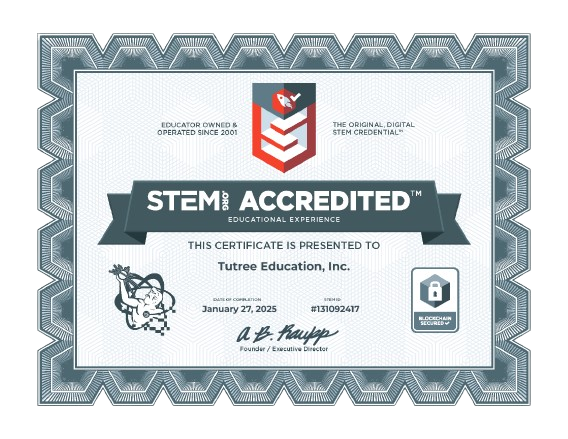
Students receive achievement certificates recognizing completed projects and mastered skills at various program milestones. These certificates document your child's progress in specific programming languages and platforms—whether Roblox game design, Python coding, Java programming, web development, or app creation. Advanced learners may also qualify for specialized certifications showcasing their technical competencies depending on their chosen course path.