Best Vibe Coding Tools and Platforms Kids Can Use at Home
- 17 December 2025
- Published by tutree
- STEM.org Accredited™ Partner

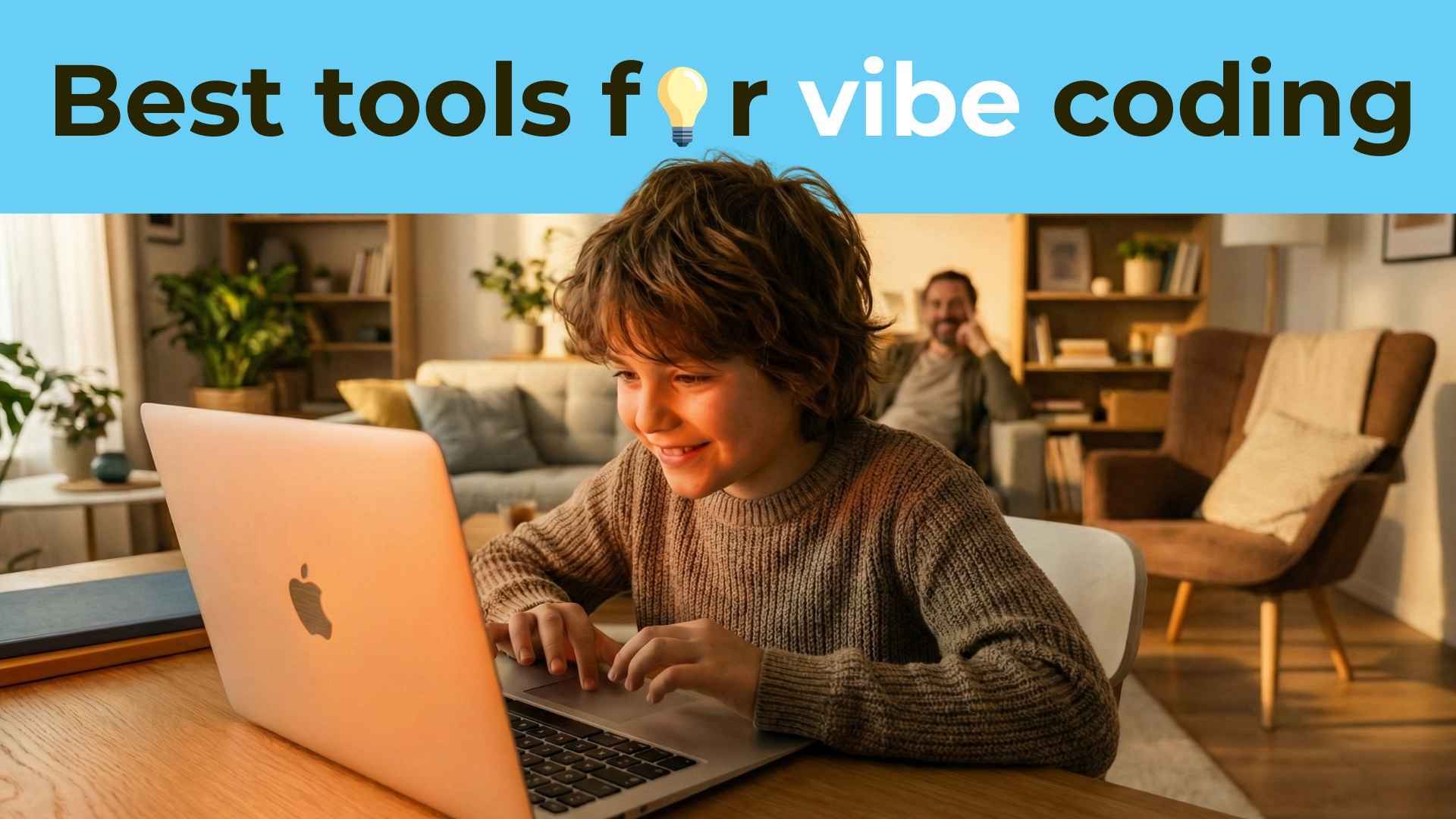
If you've noticed your child spending hours on screens but wish that time felt more productive, you're not alone. Thousands of parents across the U.S. are discovering a better way to turn screen time into skill-building time through Vibe Coding. But here's the catch: having the right tools makes all the difference.
Vibe Coding isn't about drilling kids with syntax rules or forcing them through boring worksheets. It's about learning to code by building real projects that spark creativity and imagination. And when combined with the right platforms and a little guidance, it transforms coding from "something kids have to learn" into "something they can't wait to do."
This guide explores the best Vibe Coding tools and platforms designed specifically for kids to use at home. We'll cover what makes each tool special, which age groups they're best suited for, and most importantly, how to use them effectively so your child actually sticks with it. Whether your child is 6 or 16, there's a perfect starting point waiting for them. Let's dive in and find the tools that will turn your child into a confident young creator.
What Makes a Tool "Vibe Coding" Friendly?
Not all coding platforms are created equal. Some are designed around memorization and repetitive drills. Others prioritize creativity, problem-solving, and the joy of building something from scratch. The best Vibe Coding tools share several key characteristics that make them perfect for at-home learning.
Project-Based Learning from Day One: The best tools let kids start building immediately. Instead of spending weeks on theory, children create animations, games, or apps right away. This hands-on approach keeps them engaged and shows them the practical side of coding from their very first session.
Visual and Interactive Feedback: Kids learn best when they can see their code come to life instantly. Tools with strong visual components allow children to experiment, make mistakes, and iterate quickly. When a child changes a line of code and immediately sees their character move differently or their animation speed up, they're learning cause and effect in real time.
Age-Appropriate Challenge Levels: The right tool meets your child where they are. For younger kids, this means colorful block-based interfaces that eliminate typing errors. For older students, it means gradually introducing text-based programming that prepares them for real-world development.
Room for Creative Expression: Cookie-cutter projects get boring fast. The best platforms give kids the freedom to personalize their work, tell their own stories, and bring unique ideas to life. This creative ownership is what transforms coding from a task into a passion.
Works Better with Guidance: Here's the truth most platform companies won't tell you: tools alone aren't enough. Even the best coding platform works exponentially better when paired with a mentor who can guide, encourage, and help overcome frustrating roadblocks. Kids don't just need access to tools; they need someone who can show them how to think like a creator.
Why Parents Are Choosing Vibe Coding Tools Over Traditional Methods
The shift toward Vibe Coding tools represents a fundamental change in how we think about teaching kids to code. Traditional methods often start with abstract concepts and boring syntax rules. They ask kids to memorize before they create, which is backward from how children naturally learn.
Think about how kids learn to ride a bike. You don't start with a physics lecture about balance and momentum. You get them on a bike with training wheels and let them feel what it's like to pedal and steer. Vibe Coding tools work the same way. They put kids in the driver's seat immediately, allowing them to experience what coding can do before worrying about all the technical details.
Parents are increasingly frustrated with approaches that make coding feel like just another school subject. Kids already spend enough time sitting through lectures and completing worksheets. Home learning should feel different; it should feel exciting. That's why project-based tools are winning. When your child can show you the game they built or the animation they created, that's a proud moment for both of you. It's tangible progress they can share, not just another completed assignment.
Another reason Vibe Coding tools are gaining popularity is flexibility. These platforms work on your family's schedule. Whether your child has 20 minutes before dinner or a full Saturday afternoon, they can make meaningful progress. There's no commute to a tutoring center, no rigid class times that conflict with soccer practice or family commitments.
But perhaps the biggest reason is confidence building. Traditional coding classes can be intimidating, especially for kids who don't see themselves as "math people" or "tech people." Vibe Coding tools remove that intimidation factor. When the focus is on creating something fun rather than getting every answer right, kids feel safe to experiment, make mistakes, and learn at their own pace. This psychological shift is incredibly powerful.
The Best Vibe Coding Tools for Younger Kids (Ages 6-8)
Starting coding at a young age doesn't mean overwhelming kids with complexity. The best tools for this age group use visual, block-based programming that feels more like playing with digital LEGO than writing code. These platforms build foundational computational thinking skills while keeping the experience joyful and age-appropriate.
Scratch (MIT)
Scratch is the gold standard for introducing young children to coding concepts. Developed by MIT, this free platform uses colorful blocks that snap together like puzzle pieces. Kids don't type code; they drag and drop commands to make characters move, jump, dance, and interact.
What makes Scratch perfect for Vibe Coding is its creative flexibility. Kids can create animated stories, design simple games, or build interactive art projects. The platform includes a huge library of characters (called sprites), backgrounds, and sounds, but kids can also draw their own or upload images from home. This means every project can be completely unique.
The immediate visual feedback keeps young learners engaged. When they add a "move 10 steps" block, their character moves instantly. When they experiment with loops, they see their character repeat actions in real time. This cause-and-effect learning is incredibly powerful for building intuition about how programs work.
One of Scratch's greatest strengths is its massive online community. Kids can share their projects publicly (with parent permission) and see what millions of other young coders around the world are creating. This exposure to different ideas and approaches inspires creativity and shows kids they're part of a global community of makers.
However, Scratch works best with guidance, especially for beginners. While the platform is intuitive, young kids can still get stuck on logic problems or feel overwhelmed by the blank canvas. Having a mentor who can suggest project ideas, help debug issues, and celebrate achievements makes the learning experience dramatically better. This is where combining Scratch with structured 1-on-1 tutoring transforms casual exploration into genuine skill development.
ScratchJr
For the youngest coders (ages 5-7), ScratchJr offers an even simpler version designed specifically for early elementary students. It has fewer blocks and a more streamlined interface, making it perfect for kids who are still developing reading skills. The blocks use pictures and symbols rather than words, so even pre-readers can start building sequences and loops.
ScratchJr is ideal for building foundational skills like sequencing (putting actions in order), logic (if this happens, then do that), and creative problem-solving. Kids typically start with simple projects like making a character walk across the screen, then gradually progress to creating multi-scene stories with different characters and interactions.
Blockly Games
Blockly Games takes a game-based approach to teaching coding fundamentals. It presents a series of puzzle-like challenges that kids solve using block-based code. As children progress through levels, they naturally learn concepts like loops, conditionals, and functions without feeling like they're studying.
The platform works well for kids who are motivated by clear goals and achievements. Each level provides a specific challenge (like navigating a maze or drawing a shape), and kids feel a sense of accomplishment when they solve it. This gamified structure appeals to competitive learners and those who like seeing measurable progress.
Essential Tools for Middle Elementary Coders (Ages 9-12)
As kids reach upper elementary and middle school, they're ready for more sophisticated tools that introduce text-based coding while maintaining the creative, project-focused approach. This age group can handle more complex logic and is often eager to build projects that feel "real" rather than "educational."
Scratch (Advanced Projects)
Many kids in this age group continue using Scratch but take on significantly more ambitious projects. At this level, they're creating multiplayer games with scoring systems, animated stories with branching narratives, or interactive quizzes with multiple question types. The platform grows with them, offering advanced features like custom blocks (functions) and complex event handling.
The transition from simple to advanced Scratch projects teaches kids how to manage complexity, break large problems into smaller pieces, and debug increasingly sophisticated code. These are exactly the computational thinking skills that transfer to every other aspect of learning and problem-solving.
Python for Beginners
Python is widely considered the best first "real" programming language for kids. Unlike block-based platforms, Python requires typing actual code, but its syntax is designed to be readable and beginner-friendly. Python reads almost like English, with commands like "print," "if," and "for" that make logical sense even to newcomers.
The key to successful Python learning at this age is keeping it project-based. Instead of memorizing syntax rules, kids should immediately start building things: simple games like number guessing games, mad libs generators, basic calculators, or interactive stories. Python's versatility means kids can create text-based programs first, then gradually progress to graphical projects using libraries like Turtle or Pygame.
Python is powerful enough to be used professionally (it's one of the most popular programming languages in the world), which makes kids feel like they're learning "real coding." At the same time, it's forgiving enough for beginners, with clear error messages and a supportive community. This combination of accessibility and professional relevance is rare and valuable.
The challenge with Python is that it requires more guidance than visual platforms. Syntax errors (like forgetting a colon or getting indentation wrong) can be frustrating for beginners. Having a mentor who can quickly identify these issues and teach debugging strategies prevents the discouragement that often derails self-taught Python learners.
Code.org
Code.org offers structured courses that blend block-based and text-based coding. Their curricula are designed to align with educational standards, making them excellent for building a comprehensive foundation. The platform starts with familiar block-based interfaces and gradually transitions students to JavaScript as they progress.
What makes Code.org particularly effective for Vibe Coding is its diverse range of themed projects. Kids might code a Star Wars scene one week, create digital art the next, and build a game the week after. This variety keeps learning fresh and allows kids to explore different applications of coding.
The platform also includes creative labs where students can build open-ended projects after completing structured lessons. This balance between guided learning and free exploration is ideal for kids who benefit from some structure but also crave creative freedom.
Tynker
Tynker combines game-based learning challenges with open-ended creation tools. Kids can work through themed courses (like Minecraft modding or drone programming) or use the platform's creative studio to build whatever they imagine. The progressive curriculum starts with visual blocks and eventually introduces JavaScript and Python syntax.
One of Tynker's strengths is its course variety. Whether your child is interested in game design, app development, robotics, or even music creation, there's a course pathway that matches their interests. This personalization makes kids feel like they're pursuing their passions rather than just "learning to code."
Advanced Tools for Teen Coders (Ages 13-17)
Teenagers are ready for professional-grade tools that prepare them for real-world development. At this stage, the focus shifts from learning programming concepts to mastering specific languages, building portfolio-worthy projects, and potentially preparing for AP Computer Science courses or even freelance opportunities.
Python (Intermediate to Advanced)
For teenagers, Python evolves from a learning language to a powerful tool for building substantial projects. At this level, students can create web scrapers, data analysis tools, automation scripts, simple AI programs, or even full games using Pygame. Python's extensive library ecosystem means there's virtually no limit to what teens can build.
Teen Python learners benefit enormously from project-based curricula that connect coding to their interests. A student interested in sports might build a program that analyzes game statistics. Someone passionate about music might create a beat generator or playlist analyzer. This relevance makes learning feel purposeful rather than arbitrary.
Advanced Python also introduces important software engineering concepts like object-oriented programming, version control with Git, debugging with professional tools, and code organization. These skills go beyond just writing code; they teach teens how to think like professional developers.
HTML, CSS, and JavaScript
Web development is incredibly appealing to teenagers because results are immediately visible and shareable. Learning HTML (structure), CSS (styling), and JavaScript (interactivity) allows students to build real websites and web applications that they can show friends and family.
Starting with personal portfolio sites, teens can progress to interactive web games, productivity tools, or even small business websites. The visual nature of web development makes it satisfying for creative students, while the logical challenges of JavaScript provide depth for analytical thinkers.
Web development also has clear real-world applications. Teens can freelance building simple websites for local businesses, create sites for school clubs or events, or showcase personal creative projects. This connection to practical opportunities motivates many students to push through difficult concepts.
Repl.it
Repl.it (now called Replit) is an online coding environment that supports dozens of programming languages. It's essentially a professional development setup accessible through any web browser—no installation or setup required. This makes it perfect for teens learning at home who might not have permission or technical knowledge to install development tools on family computers.
What makes Replit powerful for Vibe Coding is its collaborative features. Teens can work on projects with friends, share code easily, and even fork and remix other people's public projects. This social dimension transforms coding from a solitary activity into a collaborative, community-driven experience.
The platform also hosts regular coding competitions and challenges, providing external motivation and opportunities to test skills against peers worldwide. For competitive or goal-oriented teens, these events offer compelling reasons to keep improving.
GitHub and Version Control
While not strictly a learning platform, GitHub is essential for teens serious about coding. Learning version control (tracking changes to code over time) is a professional skill that sets students apart. Having a GitHub profile with real projects also becomes a powerful credential for college applications or internship opportunities.
Teaching teens to use GitHub early builds habits around documenting work, writing clear project descriptions, and showcasing abilities publicly. These meta-skills around professional presentation are just as valuable as coding itself.
Why Tools Alone Aren't Enough: The Mentorship Factor
Here's the uncomfortable truth that most coding platform companies don't want to emphasize: access to tools isn't the same as effective learning. Millions of parents have subscribed to coding apps only to watch their kids lose interest after a few weeks. The missing ingredient isn't a better app; it's human guidance.
The Motivation Challenge
Learning to code is genuinely hard. Every student, regardless of how talented or motivated they are, will hit frustrating moments where their code doesn't work and they can't figure out why. In these moments, self-directed learners often quit. But when a mentor is there to help debug, reframe the problem, or suggest a different approach, students push through and ultimately succeed.
Platforms can provide content, but they can't provide encouragement. They can't recognize when a student is struggling with a specific concept and needs a different explanation. They can't celebrate when a student achieves a breakthrough. Human tutors provide the emotional scaffolding that makes sustained learning possible.
The Creativity Block
Open-ended projects are amazing for learning, but they also create a unique challenge: decision paralysis. When faced with a blank canvas, many kids freeze. "I don't know what to make" becomes a roadblock that stops progress entirely.
Skilled tutors help students brainstorm project ideas that match their interests and skill level. They ask the right questions to draw out creativity and provide just enough structure to get students unstuck without dictating every decision. This balance between freedom and guidance is incredibly difficult to achieve with software alone.
The Skill Gap Problem
Different students progress at different rates and have different learning styles. Some kids grasp loops immediately but struggle with conditionals. Others find syntax easy but have trouble with algorithmic thinking. Generic course content can't adapt to these individual differences the way a human mentor can.
Personalized tutoring means each student gets exactly the help they need, exactly when they need it. Concepts are explained using examples and analogies that resonate with that specific child. Pace adjusts automatically based on comprehension, not arbitrary lesson structures. This individualization dramatically accelerates learning.
The Debugging Gap
Professional developers spend more time debugging (finding and fixing errors) than writing new code. Learning to debug effectively is one of the most important programming skills, yet it's also one of the hardest to develop alone. Beginners often can't even articulate what's going wrong, let alone fix it.
Experienced tutors teach systematic debugging approaches: reading error messages carefully, isolating problems, testing hypotheses, and using print statements strategically. These meta-cognitive skills transform frustrating dead-ends into solvable puzzles. Without this explicit teaching, many self-learners never develop effective debugging strategies, which severely limits their potential.
How to Choose the Right Tool for Your Child
With dozens of coding platforms available, selecting the right one can feel overwhelming. The key is matching the tool to your child's specific situation rather than simply choosing whatever is most popular or heavily marketed.
Consider Your Child's Age and Experience
Age-appropriateness matters enormously. A platform perfect for a 7-year-old will bore a 14-year-old, while something ideal for a teen will frustrate a young child. Start with where your child is, not where you hope they'll be eventually. Beginners of all ages typically benefit from more visual, forgiving platforms before transitioning to text-based coding.
If your child has some prior experience, challenge level becomes crucial. A student who has already completed basic Scratch projects may be ready for Python, even if they're younger than typical Python learners. Conversely, an older student with no coding background might benefit from starting with visual tools before jumping into text-based languages.
Match Tools to Interests
Engagement skyrockets when coding connects to existing passions. Does your child love stories and art? Platforms emphasizing animation and creative projects will resonate more than pure logic puzzles. Is your child obsessed with games? Focus on game development tools and frameworks. Interested in robotics or hardware? Look for platforms that include physical computing components.
The right match creates intrinsic motivation. Instead of coding feeling like something they "should" do, it becomes a means to an end they genuinely want to achieve. This psychological shift makes all the difference in sustained engagement.
Evaluate Your Support Capacity
Be honest about how much time and expertise you can provide. If you're a developer yourself who can help troubleshoot and guide learning, your child can successfully use more advanced tools with less formal instruction. If you have zero coding background and limited time, platforms with extensive built-in tutorials and support are essential.
For most families, the optimal approach combines self-paced tools with regular live tutoring. Kids explore and experiment independently between sessions, while tutors provide direction, answer questions, and ensure steady progress toward meaningful projects. This hybrid model maximizes learning while respecting family schedules and budgets.
Think Long-Term Progression
Consider what comes next. The best choice isn't necessarily the platform your child will use forever; it's the one that provides the right entry point while offering a clear path forward. Scratch is fantastic for beginners but has limits. Make sure you have a plan for what your child will transition to once they outgrow their starting platform.
Ideally, choose tools that teach transferable concepts rather than platform-specific tricks. Understanding loops, conditionals, functions, and variables matters far more than memorizing one particular tool's interface. When learning focuses on concepts, students can adapt to any platform or language in the future.
Setting Up Your Home Vibe Coding Environment
The physical and social environment matters almost as much as the tools themselves. Creating a space and routine that supports focused, creative work dramatically improves outcomes.
The Physical Setup
Coding requires focus and experimentation, which means minimizing distractions. If possible, set up a dedicated workspace with a comfortable chair, adequate desk space, and good lighting. The computer or tablet should have a reasonably large screen (small phone screens don't work well for coding) and a keyboard for any text-based programming.
Reliable internet is essential since most modern coding platforms are web-based. Nothing kills momentum faster than constant connectivity issues. If you're in an area with unstable internet, consider platforms with offline capabilities or downloadable software versions.
Having a notebook nearby for sketching ideas, planning project features, or writing pseudocode (informal descriptions of what code should do) supports deeper thinking. Coding isn't just typing; it's problem-solving, and sometimes working ideas out on paper first makes the coding itself much smoother.
Time and Routine
Consistency matters more than duration. Regular 30-minute sessions three times per week produce better results than sporadic three-hour marathons. Establishing a routine helps coding become a habit rather than something that only happens when motivation strikes.
Choose times when your child is alert and has mental energy. Coding requires concentration, so sessions immediately after a long school day or right before bed may not be optimal. Many families find weekend mornings or early evenings work best.
Build in break time for longer sessions. The Pomodoro Technique (25 minutes focused work, 5-minute break, repeat) works well for many kids. Coding requires intense concentration, and brains need recovery time to consolidate learning.
Celebrating Progress
Create opportunities to showcase work. This might mean weekly family demos where your child presents their latest project, posting completed games for friends to play, or keeping a portfolio of finished work. Public recognition (even if just within the family) provides motivation and builds confidence.
Take screenshots or screen recordings of particularly impressive projects. These become valuable artifacts for future college applications, portfolios, or simply personal motivation when students feel stuck. Seeing how far they've progressed over months or years provides powerful encouragement to keep going.
How Tutree Makes Vibe Coding Tools More Effective
The best tools combined with the right guidance create magic. This is where Tutree's approach to online coding education stands out. Rather than offering another platform or self-paced app, Tutree provides what tools alone cannot: live, personalized mentorship that transforms exploration into mastery.
Live 1-on-1 Classes That Meet Kids Where They Are
Every Tutree coding session happens live on Zoom with a dedicated tutor focused entirely on your child. No pre-recorded videos, no standardized lessons that assume every student learns identically. The tutor adapts in real time based on your child's comprehension, interests, and mood that day.
This personalization means your child works with the best tools for their specific goals. A student interested in game development might use Scratch or Python with Pygame. Someone drawn to web design explores HTML, CSS, and JavaScript. The curriculum flexes to match student interests rather than forcing every child through identical content.
Relatable Tutors Who Speak Kids' Language
Tutree's tutors are primarily high-performing high school students, college students, and young professionals who remember what it's like to be a beginner. They're close enough in age to your child to feel like an older friend or mentor rather than a distant authority figure. This peer-like relationship reduces intimidation and increases engagement.
These tutors bring genuine enthusiasm for coding and creating. They share their own projects, relate concepts to games or technologies kids care about, and make learning feel collaborative rather than hierarchical. Kids stop seeing coding as something difficult adults are forcing them to do and start seeing it as something cool people they admire enjoy doing.
Project-Based Curriculum Aligned with Vibe Coding Philosophy
From the very first session, Tutree students build real projects. There's no month of theory before "earning" the right to create something. Within an hour, beginners have created their first simple animation or interactive program. This immediate success builds confidence and demonstrates what coding can do.
As students progress, projects become more ambitious and self-directed. Tutors help students identify what they want to build, break large goals into manageable steps, and troubleshoot when things don't work as expected. This guided independence develops both technical skills and the self-directed learning abilities that serve students throughout life.
Progress Tracking That Keeps Parents Informed
One of the most common parent frustrations with coding education is not knowing what's actually happening. Kids disappear into lessons, and parents have no visibility into progress or struggles. Tutree solves this with weekly progress reports that show what concepts were covered, what your child built, and where they're heading next.
These reports mean you can have informed conversations with your child about their learning. You can celebrate specific achievements ("I saw you learned about loops this week—can you show me how they work?") and understand when extra support might help. This transparency builds trust and keeps everyone aligned toward the same goals.
Flexibility That Fits Family Life
Tutree operates on your schedule. Sessions are available evenings and weekends, and booking is flexible enough to accommodate changing family commitments. If your child has soccer practice Tuesday or a doctor's appointment Thursday, simply schedule around it. There's no rigid class time that creates scheduling conflicts.
This flexibility means coding fits into life rather than life rearranging around coding. The reduced stress and increased convenience translate to more consistent participation, which directly improves learning outcomes.
Affordable Access to Quality 1-on-1 Instruction
Traditional in-person coding tutoring often costs $50-100+ per hour, making sustained learning financially unrealistic for many families. Tutree's model provides live, personalized instruction at a fraction of that cost. Long-term plans make guided Vibe Coding affordable enough to sustain over months or years, which is how real mastery develops.
This affordability doesn't mean compromised quality. Tutree maintains rigorous tutor selection and training while using technology and operational efficiency to reduce costs. Families get exceptional instruction without premium pricing.
Common Pitfalls When Teaching Kids to Code at Home (And How to Avoid Them)
Even with great tools and good intentions, families often encounter predictable obstacles. Recognizing these patterns helps you avoid or address them before they derail progress.
Starting Too Advanced
The most common mistake is overestimating starting point. Ambitious parents sometimes push kids straight into Python or JavaScript when they'd benefit from spending time with visual platforms first. Starting too advanced creates frustration, damages confidence, and often leads to giving up entirely.
Always err on the side of starting easier than you think necessary. A child who masters fundamentals with visual blocks will progress rapidly to text-based coding. But a child who struggles with syntax errors before understanding basic logic may develop negative associations with coding that last for years.
Focusing on Completion Instead of Understanding
It's tempting to push kids to finish projects quickly or work through courses at maximum speed. But coding isn't about racing through content; it's about developing deep understanding and problem-solving skills. A child who slowly builds three projects they fully understand learns more than one who quickly copies code for twenty projects without comprehending how anything works.
Encourage experimentation and iteration. When your child finishes a project, suggest modifications or extensions rather than immediately starting something new. This deepening process builds expertise and creative confidence.
Neglecting the Creative Element
Some parents treat coding purely as STEM skill development, emphasizing logic and problem-solving while ignoring creative expression. But creativity is what sustains interest over time. A child who sees coding only as solving someone else's problems will burn out. A child who uses coding to bring their own ideas to life becomes intrinsically motivated.
Make space for personal projects alongside structured learning. Even if your child wants to build something that seems silly or pointless to you, support it. That "useless" project teaches just as much as the educational one, with the added benefit of being genuinely meaningful to your child.
Giving Up at the First Obstacle
Every coder faces frustrating bugs, confusing concepts, and projects that don't work as expected. The difference between students who succeed and those who quit often comes down to persistence through these difficult moments. When kids encounter obstacles while learning alone, they often interpret struggle as evidence they're "not good at this."
This is where mentorship becomes transformational. A tutor helps students recognize that struggle is normal, teaches specific strategies for overcoming obstacles, and provides encouragement that makes continued effort feel worthwhile. With support, frustrating moments become learning opportunities rather than dead ends.
Real-World Applications: Why Vibe Coding Skills Matter Beyond Computers
The benefits of learning to code extend far beyond the ability to build websites or games. The computational thinking skills developed through Vibe Coding translate to virtually every academic subject and life situation.
Enhanced Problem-Solving Abilities
Coding teaches systematic problem-solving: break complex challenges into smaller pieces, tackle each piece methodically, test solutions, and iterate based on results. This approach works for math word problems, science experiments, writing essays, or even navigating social conflicts. Kids who code develop meta-cognitive skills that make them better learners across the board.
Research consistently shows connections between coding experience and improved mathematical reasoning, particularly in areas like logic, pattern recognition, and algebraic thinking. The cause-and-effect reasoning inherent in programming reinforces mathematical concepts in concrete, experiential ways.
Creativity and Design Thinking
Vibe Coding emphasizes using technology as a creative medium. Kids learn that computers aren't just for consuming content; they're tools for producing it. This creator mindset changes how children approach technology throughout their lives. Instead of passive users, they become active makers who see possibilities everywhere.
The design process coding teaches—envision a goal, plan an approach, build iteratively, test and refine—applies to any creative endeavor. Whether your child ultimately pursues art, writing, music, business, or technology, these skills serve them well.
Persistence and Resilience
Code rarely works perfectly on the first try. Every programmer, from beginners to experts, spends significant time debugging and refining. Learning to persist through setbacks, maintain optimism when things aren't working, and systematically troubleshoot problems builds psychological resilience that transfers to all challenging situations.
Kids who successfully learn to code develop growth mindsets. They internalize that abilities develop through effort rather than being fixed traits. This fundamental belief strongly predicts long-term success in academics, careers, and personal development.
Future Career Preparation
While not every child who codes will become a software engineer, virtually every career increasingly involves technology. Understanding how software works, being comfortable learning new digital tools, and having basic coding literacy provides advantages across fields.
More specifically, coding opens doors to lucrative, flexible, and creatively satisfying career paths. Software development remains one of the strongest job markets, with excellent compensation and opportunities for remote work. Even having coding as a secondary skill makes candidates more competitive in fields like data science, digital marketing, product management, and scientific research.
Getting Started: Your Child's First Week with Vibe Coding
You've learned about tools, philosophies, and approaches. Now it's time for action. Here's a practical roadmap for your child's first week exploring Vibe Coding at home.
Day 1: Exploration and Inspiration
Start by showing your child examples of what's possible. Explore Scratch's community page together and play some games other kids have created. Watch a short YouTube video of a young developer showing off their project. The goal is sparking interest and imagination, not starting actual coding yet.
Have a conversation about what your child might want to create. A game? A story? An animation? Something else entirely? Don't worry if ideas aren't fully formed; they'll clarify through the process of building.
Day 2-3: First Project (Guided Tutorial)
Begin with a simple guided tutorial appropriate to your child's age. For younger kids, this might be a Scratch tutorial for making a character move and respond to key presses. For older beginners, perhaps a Python tutorial for creating a simple guessing game.
The goal isn't to understand every detail yet; it's to complete something that works. This first success builds confidence and provides a foundation for deeper exploration. Celebrate enthusiastically when the project works, no matter how simple it seems.
Day 4-5: Modification and Experimentation
Return to the same project but encourage modifications. Can your child change the character? Add different sounds? Make the game easier or harder? Adjust colors or backgrounds? This experimentation phase is where real learning begins. When kids tinker with working code to see what happens, they develop intuition about how programs function.
Not every experiment will work, and that's perfect. When something breaks, it's an opportunity to problem-solve together. Look at error messages (if any), think about what changed, and try to figure out why it's not working anymore. This debugging process teaches more than any lecture ever could.
Day 6-7: Assessment and Next Steps
After a week, you'll have a clear sense of your child's interest level and natural aptitude. Did they engage enthusiastically? Get frustrated easily? Ask for help frequently? Want to keep coding beyond scheduled time? These signals tell you how to move forward.
If interest is high, consider scheduling a free assessment with Tutree to get expert guidance on the right path forward. If your child seemed overwhelmed, maybe they need a simpler starting point or different project style. If they sailed through everything easily, they're ready for more challenge.
Turn Screen Time Into Skill-Building Time with Tutree
Your child is surrounded by screens already. The question isn't whether they'll spend time in front of computers and tablets; it's whether that time builds skills or simply passes. Vibe Coding offers a better way: learning that feels like creating, guidance that feels like friendship, and progress that builds genuine confidence.
The tools covered in this guide provide the foundation, but tools alone aren't enough. Every child benefits from a mentor who provides direction, encouragement, and expertise at exactly the right moments. Someone who helps them overcome frustrating bugs, celebrates creative breakthroughs, and keeps learning moving forward when motivation wavers.
Tutree combines the best Vibe Coding tools with live, personalized mentorship from relatable tutors who genuinely care about your child's success. Our approach is recognized in the top 5% of STEM curriculam, aligned with U.S. educational standards, and—most importantly—designed to be fun. Kids don't just learn to code; they discover the joy of creating and the confidence that comes from building something real.
Ready to see what your child can create? Visit
to schedule a free Vibe Coding assessment. Discover your child's current skill level, explore personalized learning paths, and take the first step toward transforming screen time into a creative, skill-building adventure your child will love.
The future belongs to creators, problem-solvers, and confident learners. Give your child the tools and guidance they need to thrive. Try Tutree's Vibe Coding approach today and watch your child transform from content consumer to confident creator
Related Articles
AI coding agents are changing how software is built, but what does this mean for students learning to code? Explore how coding education may evolve in 2027, the role of AI agents, and why programming fundamentals, problem-solving, creativity, and responsible AI use will remain essential for the next generation of builders.
AI tools like ChatGPT and GitHub Copilot are changing how code gets written — but they haven't made coding obsolete. In fact, coding skills are more valuable than ever. This guide helps parents understand why children should still learn programming, what skills truly matter in the AI era, and how starting early gives kids a lifelong advantage in any career they choose.
Vibe coding strengthens core math skills by reinforcing logic, patterns, and structured problem solving through hands-on programming. By applying math concepts in real projects, students build confidence, improve reasoning, and develop academic skills that support long-term success across subjects.
