Unlock Your Child's Full Potential Today!
1:1 live online • 1 dedicated academic counselor
STEM.org Accredited™ Partner
Mason Williams Scratch Coding Tutor in Mount Joy, PA
Tutor Location
About Mason Williams: The Maestro of Code
In the quaint town of Mount Joy, Pennsylvania, Mason Williams is a name synonymous with the joy of coding. For nearly a decade, Mason has been the upbeat mentor who transforms the perplexities of programming into child's play—quite literally. With a twinkle in his eye and a passion for teaching that is as infectious as his laugh, Mason believes that the world of coding should not only educate but captivate the imagination of young minds.
Experience That Speaks Volumes
With 9 impressive years dedicated to teaching Scratch, Mason has honed the art of making complex concepts digestible for children. His journey started with a simple idea: to make learning to code an adventure rather than an arduous task. It is this fresh perspective that led Mason to curate a classroom environment where failure is just another stepping stone to success, encouraging kids to experiment and learn from their mistakes.
Specializations: Making Coding a Game
Children love games, and Mason has mastered the art of converting coding lessons into engaging coding games that captivate his students. Williams specializes in helping children create their games, interactive stories, and animations using Scratch. He believes in a hands-on approach, where students are not just passive listeners but active creators, continually building, testing, and refining their projects. This dynamic process helps students of all levels—from beginners just starting to advanced whiz kids looking to push the boundaries of their coding prowess.
FAQs: Your Curiosities Unraveled
Who can join Mason's classes?
All children who have an interest in learning to code, regardless of their prior experience.
What exactly is Scratch?
Scratch is a visual programming language and online community targeted primarily at children. It allows users to create stories, games, and animations using a block-based coding system, making it highly accessible to beginners.
How do Mason's classes accommodate different skill levels?
Mason tailors his instruction to meet each student's needs, ensuring that each child is both challenged and supported as they learn.
What do parents need to get started?
Just a computer with internet access and a curious kid ready to dive into the world of coding!
Testimonials: Praise from Parents and Pupils
“He makes coding so much fun that my daughter looks forward to every lesson like it's her favorite cartoon show!” - Vanessa, Parent
“Mr. Williams helped me make my very own game where you're a wizard collecting stars. I learned so much, and now all my friends want to play it!” - Benjamin, Age 11
“I was hesitant at first because our son was quite shy, but the improvement in his confidence since he started lessons with Mason has been astonishing. He’s not just learning to code; he's learning to share his creations with pride.” - Greg, Parent
With a stellar average rating of 4.8 stars across 30 reviews, Mason Williams isn't just a part of Mount Joy's tutoring scene; he's leading it with a keyboard and an endless stream of imaginative ideas, one click at a time. Whether your child is making their first Scratch sprite dance or developing an intricate game, Mason Williams is the guide you want by their side in this digital adventure.

Mason Williams
 4.8
4.8
Hourly rate
$20
Location
Mount Joy, PA
Experience
9 years
Browse More Tutors in Mount Joy, PA
Emma Jones
4.1
Hourly Rate
$20
Location
Mount Joy, PA
Experience
9 years
Liam Johnson
4.7
Hourly Rate
$20
Location
Mount Joy, PA
Experience
8 years
Benjamin Smith
4.9
Hourly Rate
$20
Location
Mount Joy, PA
Experience
4 years
Emma Johnson
4
Hourly Rate
$20
Location
Mount Joy, PA
Experience
7 years
Most Affordable Pricing Guaranteed
Find a lower price elsewhere, and we'll not only match it — we'll ensure you get the best deal possible
Flexible Payment Options

Select Subject & Preferences
Math
Online
Recent Blogs
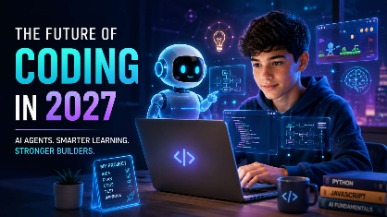
AI coding agents are changing how software is built, but what does this mean for students learning to code? Explore how coding education may evolve in 2027, the role of AI agents, and why programming fundamentals, problem-solving, creativity, and responsible AI use will remain essential for the next generation of builders.
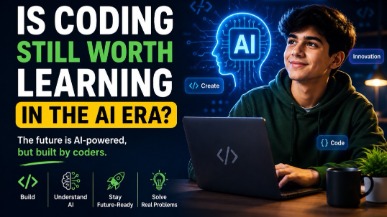
AI tools like ChatGPT and GitHub Copilot are changing how code gets written — but they haven't made coding obsolete. In fact, coding skills are more valuable than ever. This guide helps parents understand why children should still learn programming, what skills truly matter in the AI era, and how starting early gives kids a lifelong advantage in any career they choose.
Vibe coding strengthens core math skills by reinforcing logic, patterns, and structured problem solving through hands-on programming. By applying math concepts in real projects, students build confidence, improve reasoning, and develop academic skills that support long-term success across subjects.
Tutors Near Mount Joy, PA
Coding Tutor in MariettaCoding Tutor in Silver SpringCoding Tutor in MaytownCoding Tutor in LandisvilleCoding Tutor in ColumbiaCoding Tutor in WrightsvilleCoding Tutor in ElizabethtownCoding Tutor in MountvilleCoding Tutor in ManheimCoding Tutor in LawnCoding Tutor in East PetersburgCoding Tutor in BainbridgeCoding Tutor in HallamCoding Tutor in Washington BoroCoding Tutor in East Prospect
Chat with Us👋